Skip to content
Live in 60 seconds · free plan, no card

Your docs, live in 60 seconds. Zero setup.

Upload Markdown and get a fast, searchable documentation site on your own subdomain. No terminal, no config files, no CI. Export the static site whenever you want: no lock-in, ever.

Free forever for one site. Upgrade when you have a second.

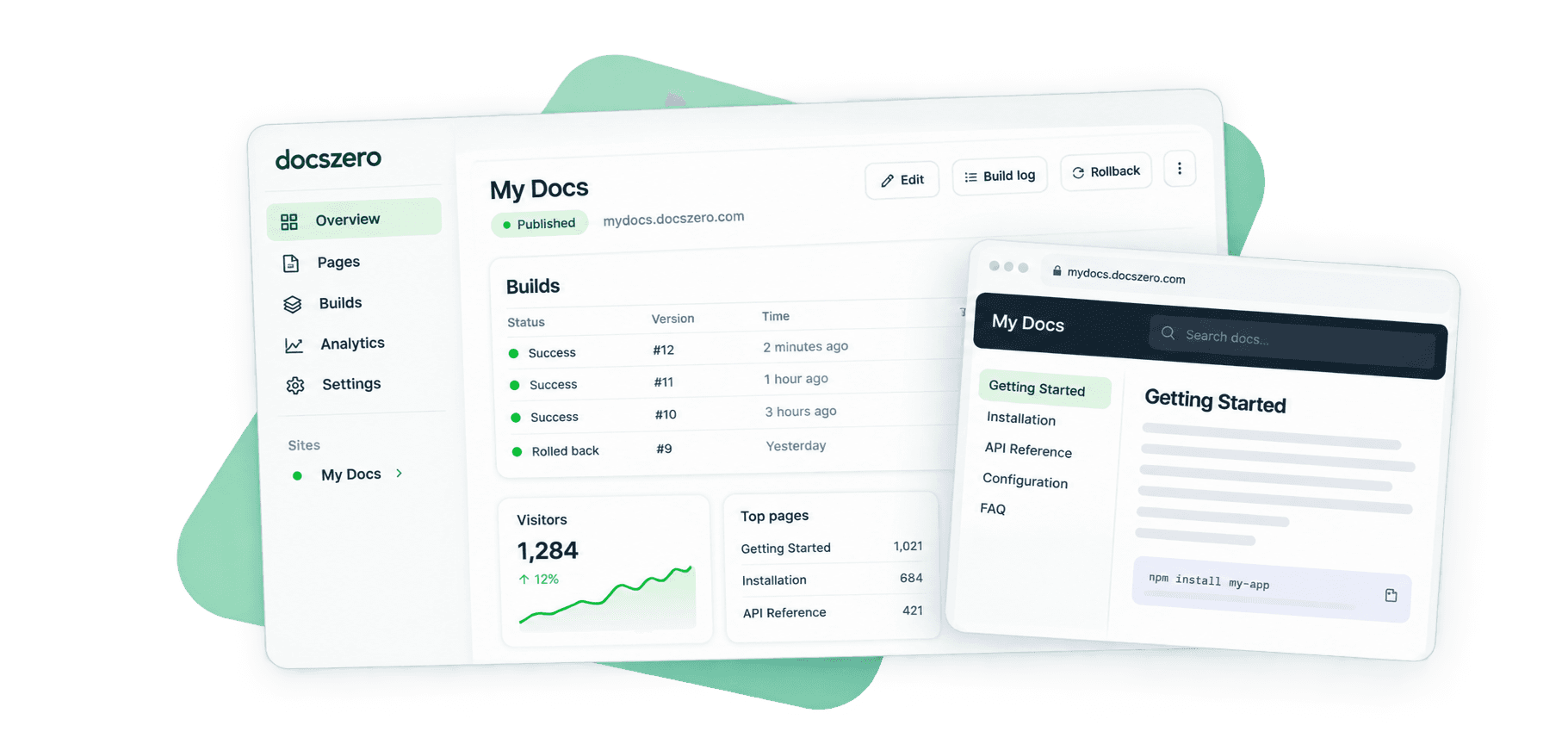
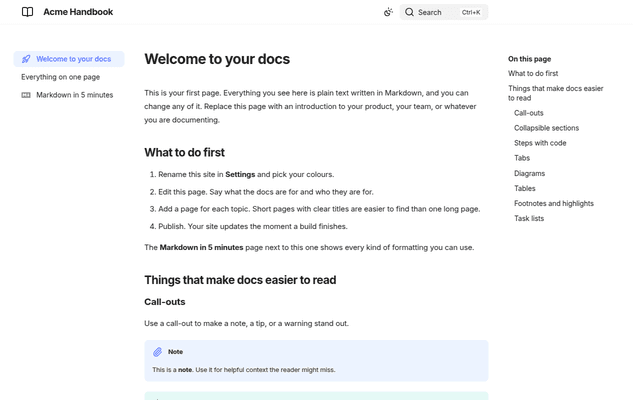
The Docszero dashboard showing a published site, its build history and reader numbers, beside the documentation site it publishes.
  • Markdown
  • .docx
  • PDF
  • Images
  • Mermaid
  • A folder of .md
  • A zip

how it works

Three steps, and the third one is leaving.

There is no fourth step. No build command to choose, no theme to install, no pipeline to wire up before the first sentence goes out.

  1. 01 upload

    Drop your Markdown

    Drag a folder of .md files, a zip, a Word document or a PDF. That is the whole setup. There is no second screen asking for a build command.

  2. 02 live

    Instant docs site

    A fast, searchable site on you.docszero.com, built and published before your coffee cools. Search, navigation and a 404 page come with it.

  3. 03 yours

    Export whenever

    Download the built site or the source with a config that builds anywhere. On every plan, including Free. Your docs stay yours.

why this exists

Documentationdiesinthesetup.Agenerator,atheme,aconfigfile,aCIjob,ahostingbucket,adomain.Sixdecisionsbeforeanyonewritesasentence.Docszerodeletesallsix.YoukeeptheMarkdown.Wekeeptheplumbing.

And when you want to leave, the export button is right there.

see it work

Everything a docs site needs, already on.

The six below are recorded in the product, not drawn for a landing page. Search, versions, analytics, imports and export are not add-ons here: they are what publishing documentation means.

01 create

A project is live before you finish naming it

Give it a name and a slug. Docszero writes the Zensical config, builds the site, and publishes it on your own docszero.com subdomain. Search, navigation and a 404 page are already inside it.

  • Start from the two starter pages or your own upload
  • One subdomain per project, yours the moment it builds
  • No build command to pick, no theme to install
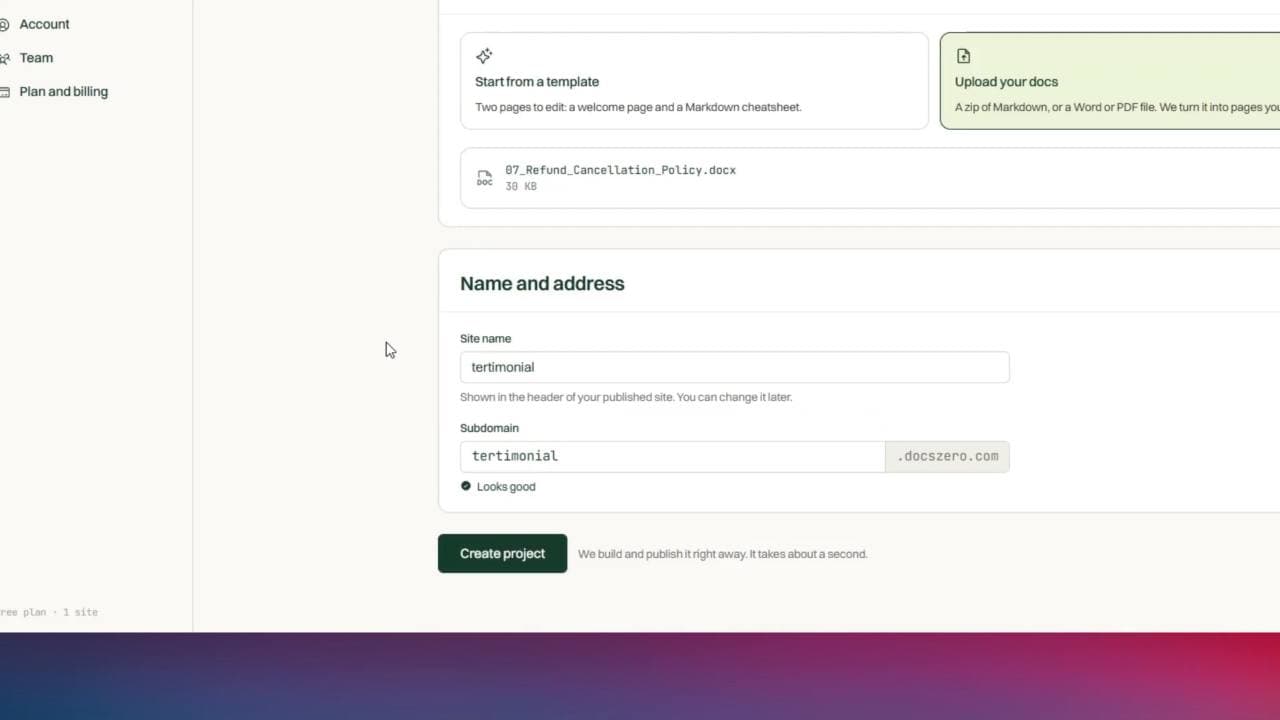
new project → live site
02 build

Every build shows its work

Live, replaced, failed, with the duration beside it. Open one and its log slides up in the only dark panel in the product, with a hint in plain words when something went wrong. A failed build never replaces what is published.

  • The log the build actually produced, in place
  • A readable hint when a build fails
  • The previous build stays live either way
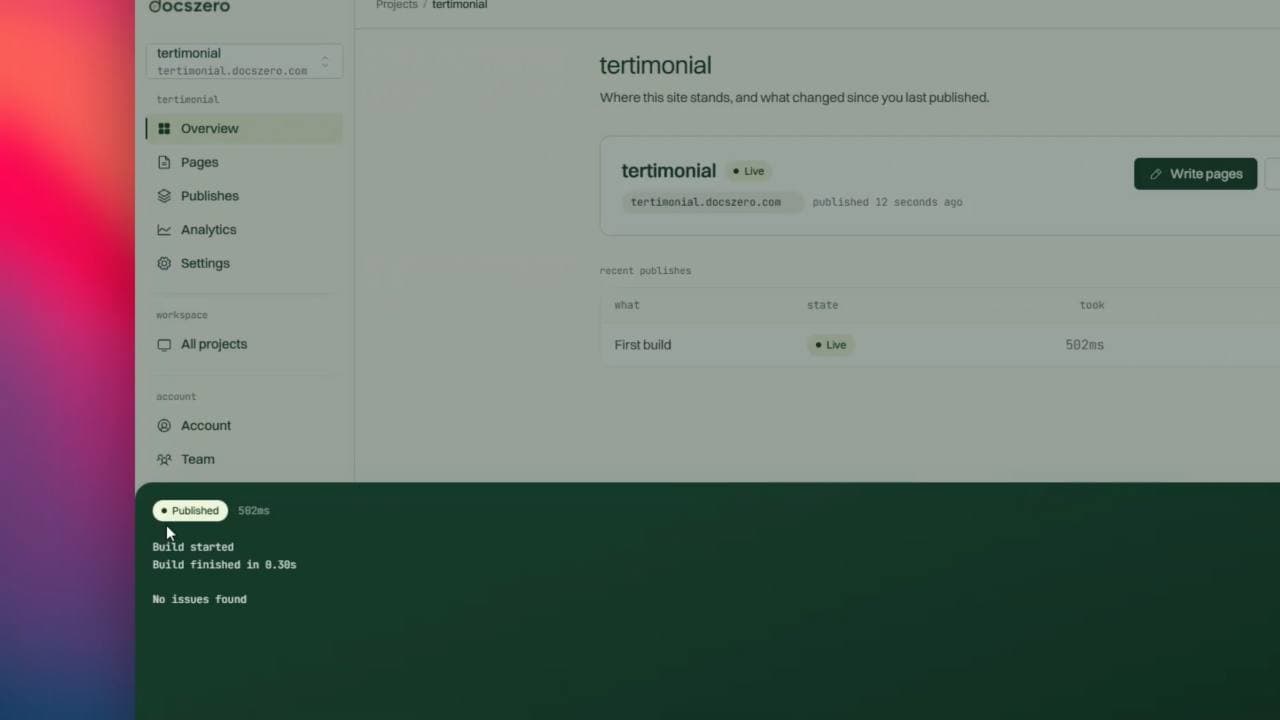
build log
03 write

Write in the browser, preview beside it

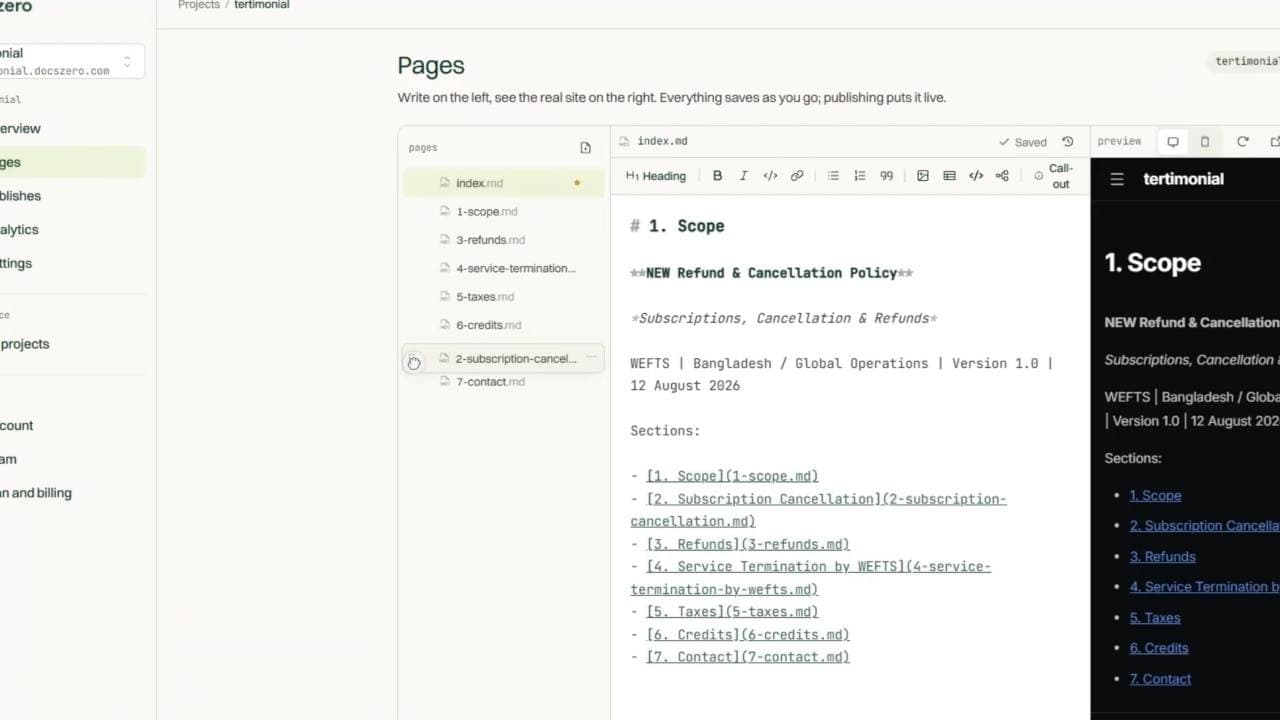
A Markdown editor with the page rendering next to it. Save as often as you like: saves land on a private draft, and the published site only changes when you press Publish.

  • Drafts stay private until you publish
  • Images, folders, renames and moves included
  • Every save is a version you can restore
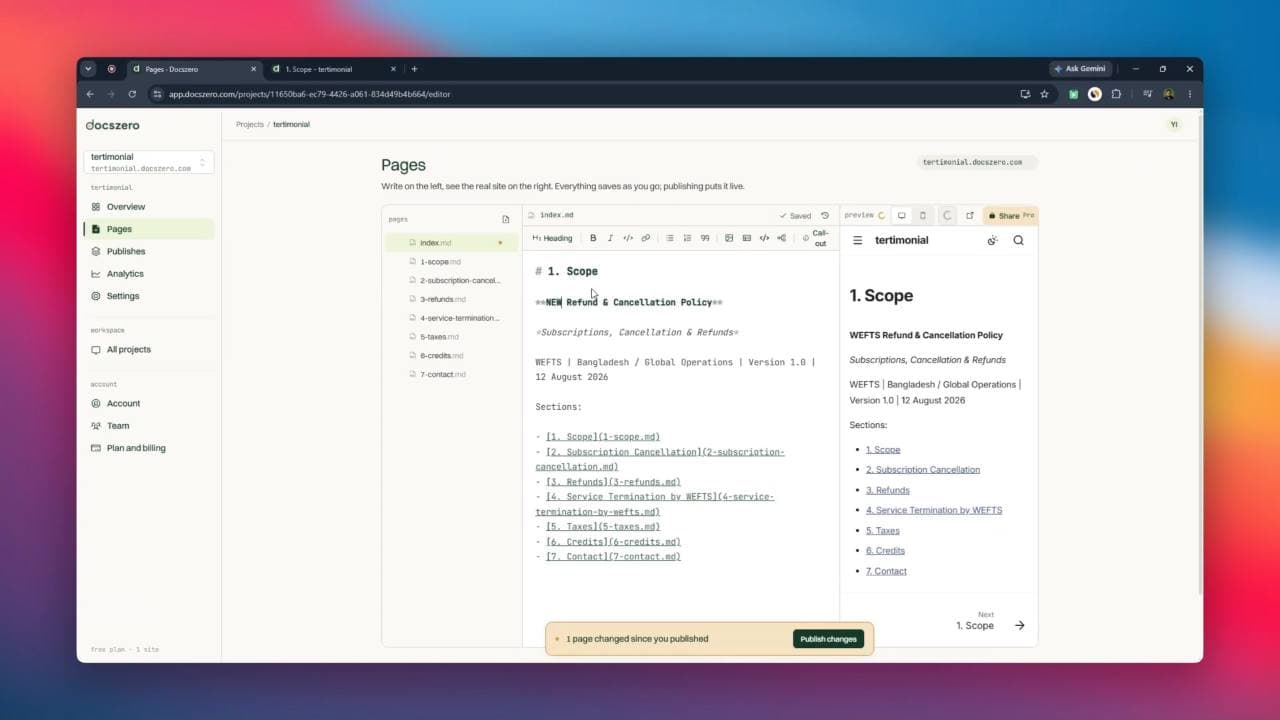
editor
04 order

Drag pages into the order you want

Take a page or a folder by the grip and drop it among its siblings. The tree you are looking at is the navigation the site will use, so nothing is a surprise at publish. Sort A to Z puts it all back.

  • No numbered filenames, no nav file to hand-edit
  • Folders become sections, titled the way they read
  • The order saves as you drop it
page order
05 measure

Know who actually reads them

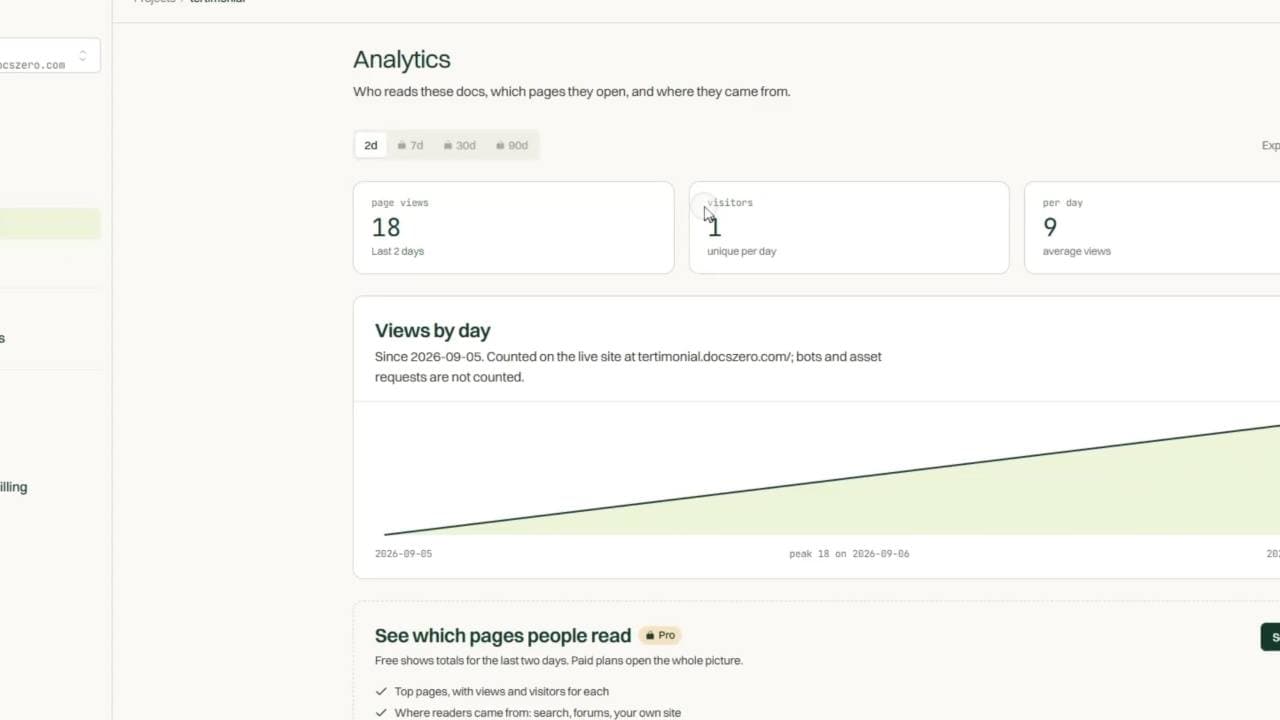
Views, unique visitors, a daily series, top pages and top referrers. No cookies and no sessions: the visitor hash rotates every day and the address itself is never stored, so there is no banner to add.

  • Nothing follows a reader between days
  • Top pages and referrers, ranked
  • CSV export on paid plans
analytics
06 publishes

Roll back to any version that worked

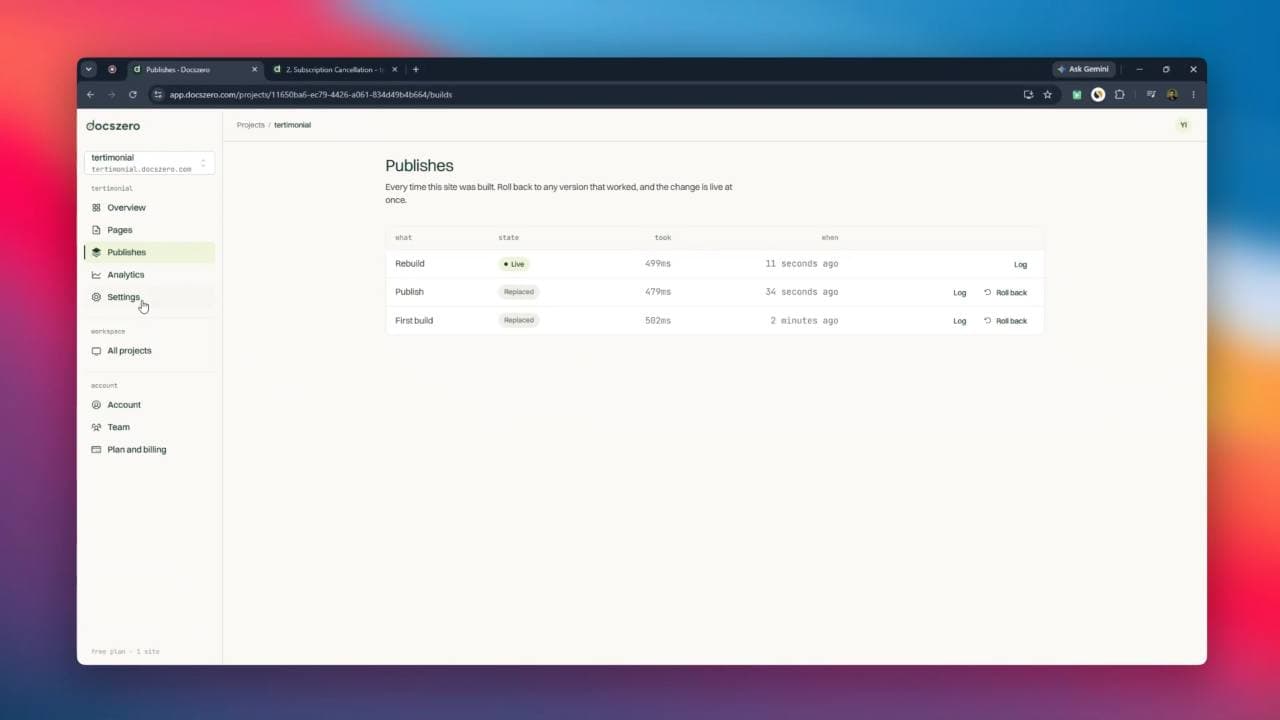
Every time the site was built, newest first, with what caused it and how long it took. Output is never overwritten, so going back to Tuesday is a pointer move rather than a redeploy, and it is live at once.

  • First build, publishes and rebuilds, all listed
  • Nothing is overwritten, so nothing is lost
  • Roll back from the row itself
publishes

and the rest

True of every site you publish

Bring what you already wrote

A zip of Markdown, a Word document, a PDF, or a folder from a repo. Headings become pages, images come along, and links are rewritten to match.

.md · .docx · .pdf · .zip

Export, any time, any plan

Download the built site as plain HTML, or the source with a config that builds anywhere. Free accounts included. There is no version of this where your docs are held hostage.

no lock-in

Search that ships with it

Full-text search across every page, built at publish time and served from the site itself. Nothing to wire up, nothing extra to pay for.

Mermaid diagrams

A mermaid code fence renders as a diagram on the published page and in the preview. Flowcharts, sequences and state machines, with no plugin to install.

```mermaid

Private docs

Put a password on a site and readers get a login page instead. The cookie lasts 30 days and dies the moment you change the password.

Pro and above

Seats for your writers

Invite people by email. They write, publish and read analytics under your plan; only you can delete a site or change who is allowed to see it.

Agency plan

Your own domaincoming soon

Point a domain you own at your site. Included on Pro and above. It is not built yet, and we would rather say so plainly than let a checkbox imply otherwise.

side by side

The same job, minus the afternoon.

Nothing below is a knock on static site generators. They are good tools. They are just six decisions you have to make before anyone reads a word.

  • First publish

    The usual way
    An afternoon, if the theme cooperates

    Docszero
    Under a minute, from a drag and drop

  • What you need to know

    The usual way
    A generator, YAML, a CI file, DNS

    Docszero
    How to write Markdown

  • Publishing a fix

    The usual way
    Commit, push, wait for the pipeline

    Docszero
    Edit in the browser, press Publish

  • A broken build

    The usual way
    The site is down until someone fixes it

    Docszero
    The live site is untouched; the build says why

  • Going back a version

    The usual way
    Revert, push, wait again

    Docszero
    Pick an earlier build, roll back

  • Search

    The usual way
    A plugin, or a paid index

    Docszero
    Built in, on every plan

  • Reader numbers

    The usual way
    A third-party script and a cookie banner

    Docszero
    Counted server-side, no cookies at all

  • A Word document from legal

    The usual way
    Convert it by hand, fix the images

    Docszero
    Upload it; headings become pages

  • Leaving

    The usual way
    Whatever the platform allows

    Docszero
    Export the static site, any plan, any time

pricing

Start free. Pay when the docs earn it.

Every plan publishes real sites with search, versions and export. Paid plans add your name on the footer, private docs, longer analytics, and room for a team.

Switch to yearly for two months free.

Free

For a first site, and for keeping one small set of docs online.

$0forever

Free forever for one site

Included

  • 1 site
  • Your own docszero.com subdomain
  • Browser editor with live preview
  • Full-text search built in
  • Static export, any time
  • Reader totals for the last 2 days
  • Community support

Pro

Popular

For a product whose docs should carry your name, not ours: no badge, private docs, shareable previews.

$15/ month

Billed per account

Everything in Free, plus

  • 10 sites
  • Remove the Docszero badge
  • Password-protected docs
  • Shareable preview links
  • Analytics: 90 days, top pages, referrers, CSV
  • Your own domaincoming soon
  • Email support in 48h

Agency

For running docs for many clients, and for teams who write together.

$49/ month

5 seats included

Everything in Pro, plus

  • Unlimited sites
  • 5 seats for your writers
  • Everyone edits under one plan
  • 1 TB bandwidth a month
  • 5,000 build minutes a month
  • Priority support

Prices in US dollars. Cancel any time and keep the plan until the period you paid for ends. Sites over the new limit are never deleted, and export works on every plan.

every limit, in one place

Compare the plans

The numbers below are the ones the product enforces, not a marketing summary of them.

Docszero plan comparison: Free, Pro, Agency
featureFreeProAgency
sites
Sites110Unlimited
Subdomain on docszero.comIncludedIncludedIncluded
Your own domaincoming soonIncluded on Pro and above once it ships.Not includedIncludedIncluded
Remove the Docszero badgeNot includedIncludedIncluded
Password-protected docsNot includedIncludedIncluded
Shareable preview linksNot includedIncludedIncluded
writing and publishing
Browser editor and live previewIncludedIncludedIncluded
Markdown, Word and PDF importIncludedIncludedIncluded
Drag pages into orderIncludedIncludedIncluded
Version history and restoreIncludedIncludedIncluded
Roll back to an earlier buildIncludedIncludedIncluded
Full-text searchIncludedIncludedIncluded
Mermaid diagramsIncludedIncludedIncluded
Static exportIncludedIncludedIncluded
readers
Analytics history2 days90 days90 days
Top pages and referrersNot includedIncludedIncluded
CSV exportNot includedIncludedIncluded
Bandwidth a month20 GB200 GB1 TB
Build minutes a month1001,0005,000
people and support
Seats115 included
Invite editorsNot includedNot includedIncluded
SupportCommunityEmail, 48hPriority

before you sign up

The questions we actually get asked.

If yours is not here, write to us. A person answers.

hello@docszero.com

  • No. You need Markdown. Docszero writes the config, builds the site and publishes it. If you already have a mkdocs.yml or a zensical.toml in your zip, we read your site name, description, language and navigation out of it so your existing structure survives the move.

Docs without the homework.

Built for writers, founders and teams who want good documentation, not a build pipeline. Your first site is free and takes about a minute.

no credit card · export on every plan · cancel any time